Limited Edition Bricks Hub
E-commerce shop
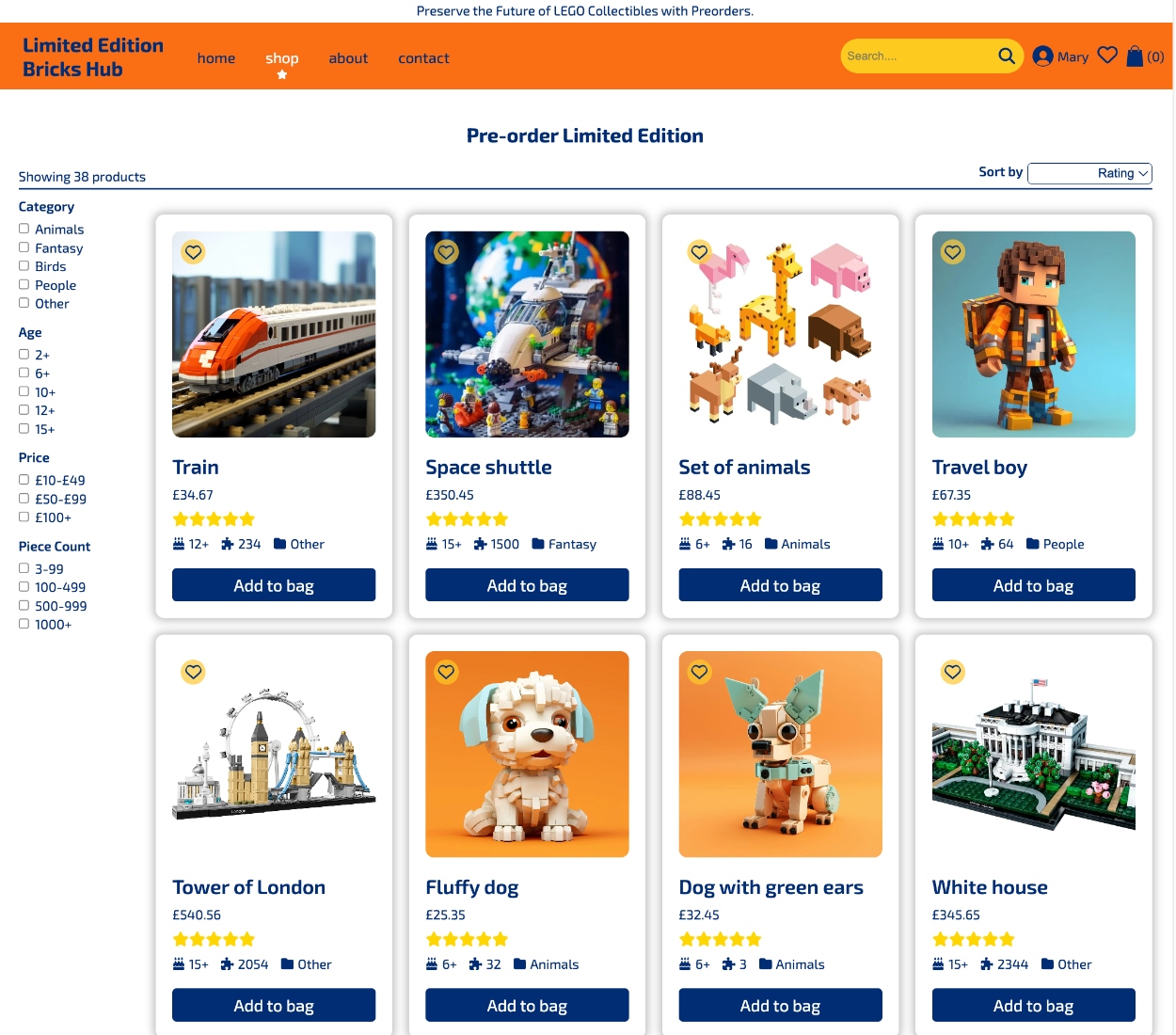
Your gateway to exclusive LEGO sets, where you can explore and pre-order unique LEGO creations. This is a full-stack project created for educational purposes and driven by a passion for LEGO.
- Product Listings: Discover limited-edition LEGO sets with details like names, piece counts, themes, and availability.
- Sort and Filter: Find specific LEGO sets with ease using sorting and filtering options.
- Product Categories: Organize sets by category, age, price, and piece count.
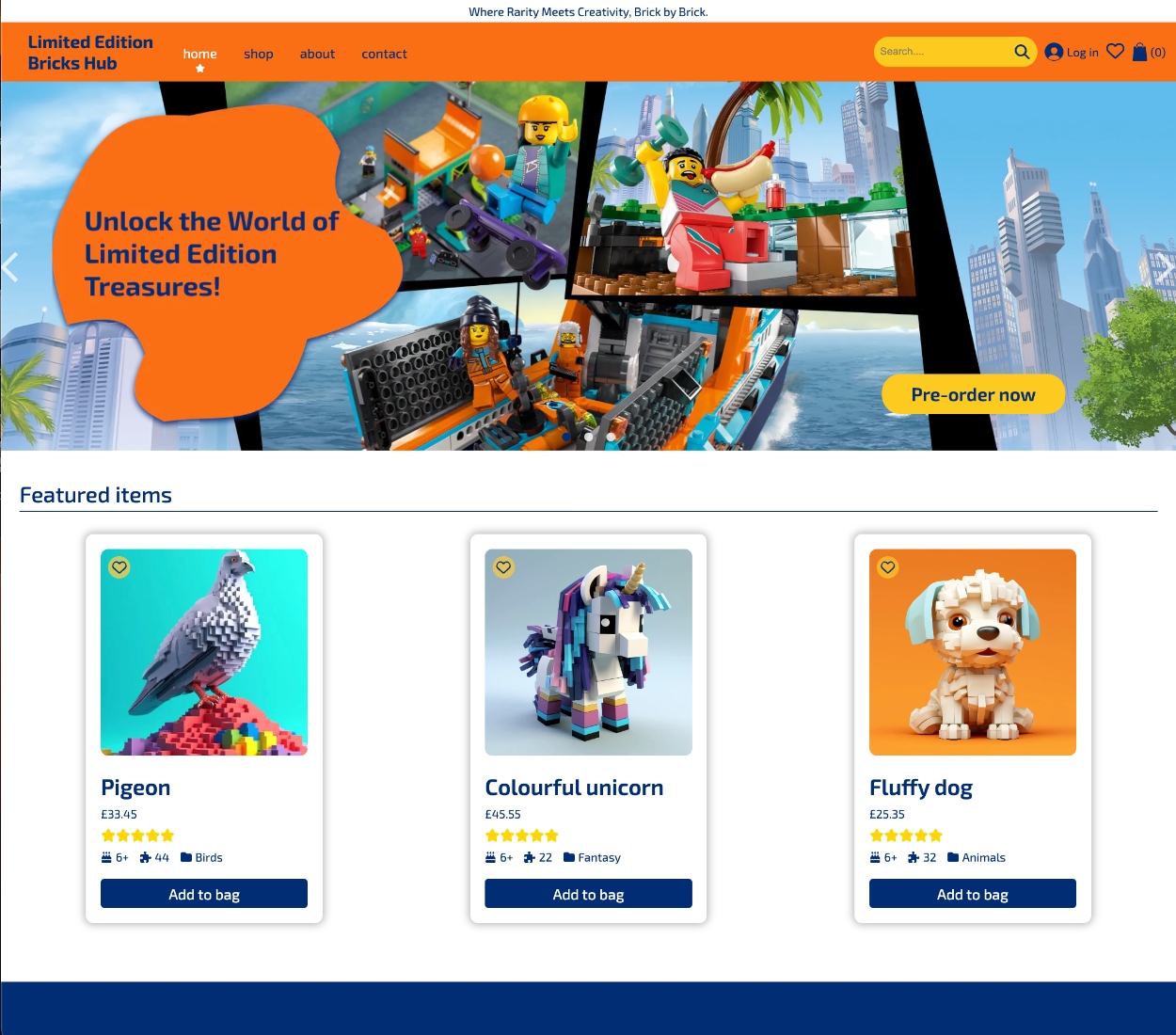
- Top Picks: Discover the most popular three items right on the homepage.
- Authentication: Sign in with your custom email and password, or use you account in Google.
- User Profiles: Create accounts with personal information, avatars, and preferences.
- User Wishlists: Keep track of items you desire.
- Shopping Cart:Easily add items, review your selection, and proceed to checkout.
- Checkout Page: See all your chosen items before finalizing your order.
- User Reviews: Share your thoughts and rate products to assist fellow shoppers. (Upcoming Feature)
This project was hatched out of thin air and it's still in its chrysalis stage, like a LEGO set being built one brick at a time. It all started just 2 weeks ago, and the adventure continues! 🚀
Next.js, React, TypeScript, CSS, Figma, Recoil
Node.js, Express.js,
Apollo GraphQL,
Firebase: Authentication, Database,
Storage
I'm currently working with a partner on creating a website for a talented photographer Shiva Hemmat. Our goal is to create a digital space that showcases the stunning and diverse portfolio of our client. The website, while still under development, has been designed with simplicity and ease of use in mind. Users can effortlessly navigate through sections such as the home page, projects, blog, and contact information.
Next.js, React, Javascript, CSS
This is a team-work approach for Rock-Paper-Scissors Online Multiplayer Game implemented using React.js in Front-end and Node.js in Back-end. The main challenge was to enable instant communication between 2 players without any delays. Therefore, Socket.io library is used to enable this feature.
- The game establishes 2 options based on number of participants:
• Uniplayer: Play with Computer.
• Multiplayer: Play with a Friend/ Play with a Stranger.
- The application requires the user's name to enhance user experience.
- The application provides user with 3 options: Rock, Paper, Scissors.
- The application enables the option to Change the User Name.
- The application provides the option to the restart the game at the end of it.
- The game starts only after the user inserts its name.
React, Node.js, Socket.io, CSS, Figma
This is a team-work project - Song Sieve application allows users to interact with Spotify playlists, fetching track data from the Spotify API, providing filtering options, and allowing users to create new playlists based on their preferences.
- Copy Playlist ID: Users can input a Spotify playlist ID into the app to fetch the playlist data.
- Fetch Playlist Tracks: The app fetches the list of tracks in the specified Spotify playlist using the Spotify API.
- Filter Playlist Tracks: Users can filter the playlist based on various metrics: Track Length and Explicit Content
- User Authentication: Firebase authentication is used for user sign-in.
- Database: User-specific playlist and favourite tracks data is stored in a Firebase database.
- Create New Playlist: User can create new playlist based on the filtered tracks
- Add/Remove a Song to the Playlist or Create new Playlist: User can add/remove a song to the playlist or create a new one
- Add/Remove a song to Favourite tracks User can add/remove a song to Favourite tracks
- Navigate through the pages accessed using Back/Forward buttons: User can navigate through the pages accessed using Back/Forward buttons
Next.js, React, Typescript, CSS, Figma, Recoil,
Firebase:
Authentication, Database
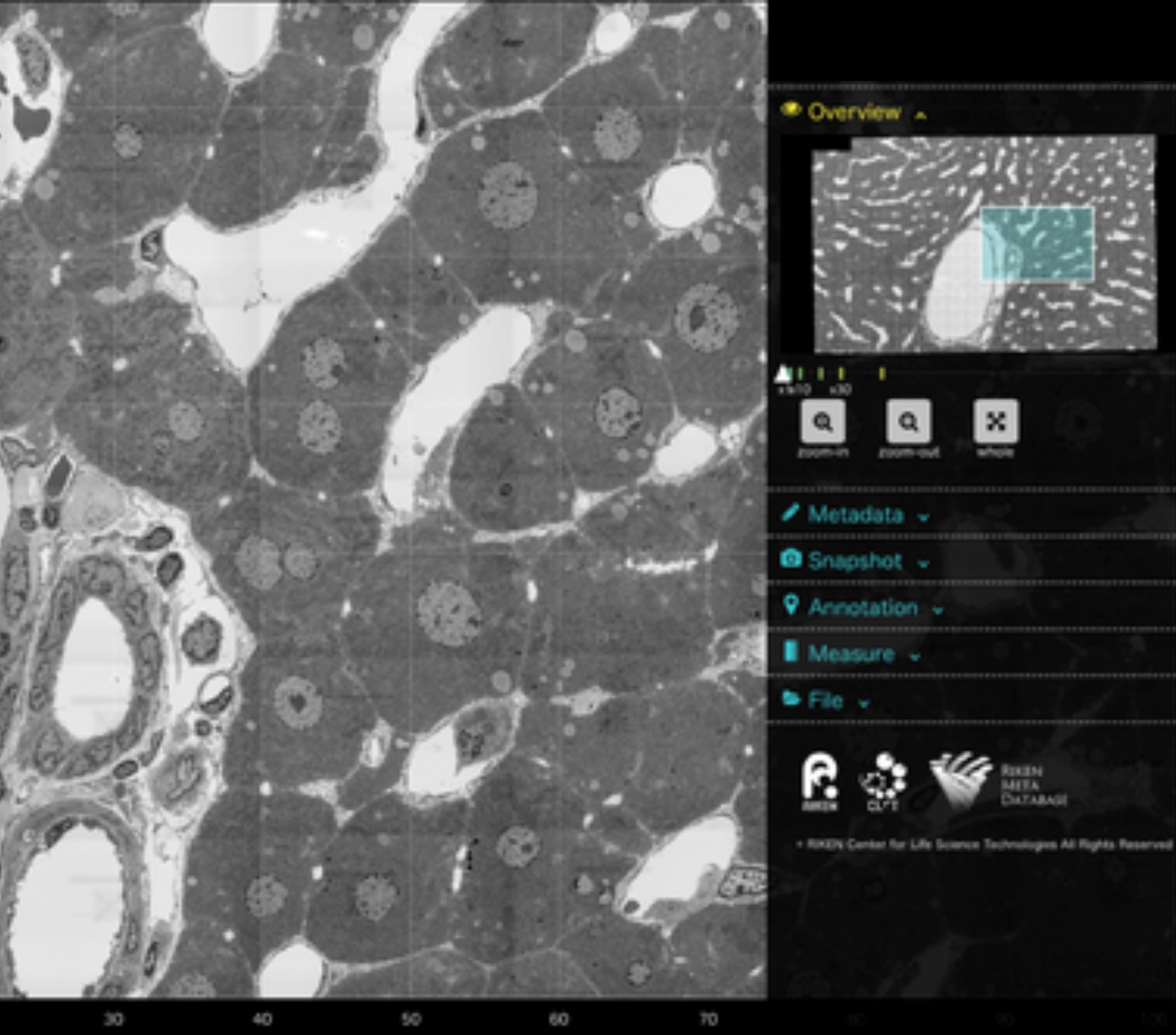
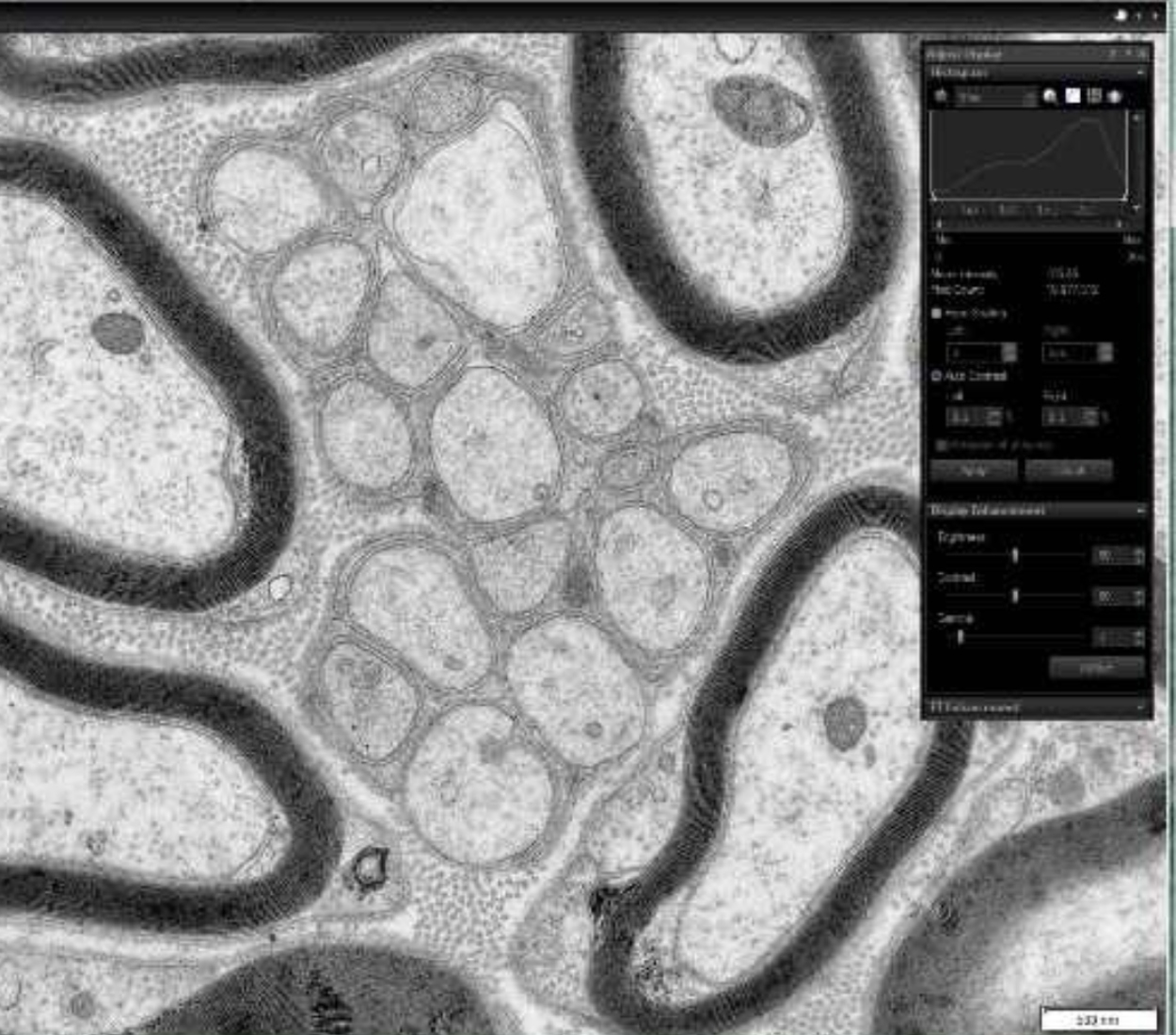
MicroView Pro is a powerful software that I created for the visualization of microscopy images during my internship at Hoxton Farms.
As a main developer of this project, I played a significant role in its creation, focusing on the front-end aspects and facilitating the connection between the front end and back end.
Optimized Image Loading: A primary focus was on optimizing the loading and viewing of microscopy images, ensuring swift access to critical data.
Advanced Functionality: Introduced key features such as zoom, drag, and full-screen mode, enhancing the user experience.
Multi-Channel Image Display: Users can overlay images from different channels, offering a comprehensive view of microscopic data.
Dynamic Image Adjustments: Provided users with the ability to adjust contrast and brightness independently for each channel.
Well Plate Navigation: Designed an intuitive well plate interface, enabling users to access images from various wells easily.
Histogram Visualization: Created and displayed histograms based on image data.
Scalebar Integration: Successfully implemented a scalebar feature, enhancing the accuracy of image measurements.
Metadata Display: Implemented a feature to display essential metadata about images, enhancing data context.
Download Functionality: Users can conveniently download individual images or entire viewports.
Custom Tiling: Developed custom tiling functionality, allowing users to compare images from different folders by selecting the number of rows and columns for display.
Uploader and CSV File Management: Created the ability to upload CSV files and manage them within the application. Users can display images based on information from uploaded CSV files and create and download CSV files that present images in a grid with accompanying information. This feature simplifies data sharing and future reference.
Typescript, React, CSS, Context API, Pixi.js, D3.js, Jest, Figma
Our world is in crisis - from climate change to the pollution in our oceans and devastation of our forests. It's up to all of us to fix it. We want more people to be-Aware, calculate and reduce their Carbon Footprint. This is a team-work project.
MVP has 3 pages: home, calculator and contact.
- The user can press "start the caluclator" button at home page to start the
calculator.
- At the right side of calculator page there are some interestinc facts.
- At the left side of calculator page user has a question which he/she
should answer. There are 9 questions.
- Depending on what answer the user will give to each question, his carbon
footprint will be calculated.
- After answering all questions, the user will see his carbon footprint and
can compare it with footprints from other countries in the world.
- Once all questions have been answered, the user can also request
personalized advices to reduce carbon footprint.
- After answering all questions, the user can also go through the inspection
again.
- There is a pop up form at contact page. So the user can send any message,
request to us.
- The webpage is mobile responsive.
HTML, CSS, JavaScript, External API, Figma, Photoshop